

Replace static PDF maps and radio chatter with a single, real-time operating picture that keeps everyone safe.
Request a DemoRelease Notes: Perimeter Internal Web App Update
 Perimeter Staff – September 8, 2026
On Wednesday September 9th, 2026, we will release several changes to the Internal Web App (app.perimetermap.com). These updates will improve user’s ability to interact with and manage data in Perimeter.
Data Grouping & Layers Redesign
-
The Map Options menu has been replaced with the Layers tab in Browse Data.
-
Layers control what layers display on the map. Hiding a layer on the map also hides it from the list.
-
Map Layers include: Data Groups, Overlays, Data Types, Visibility Status and Basemap Style
-
-
Filters control what data displays in the Browse Data list.
-
Filter by data group, visibility status or data type
-
Tip: you can combine filters with bulk update to quickly update information across the platform.
-
-
Search – quickly search for any data in your team.
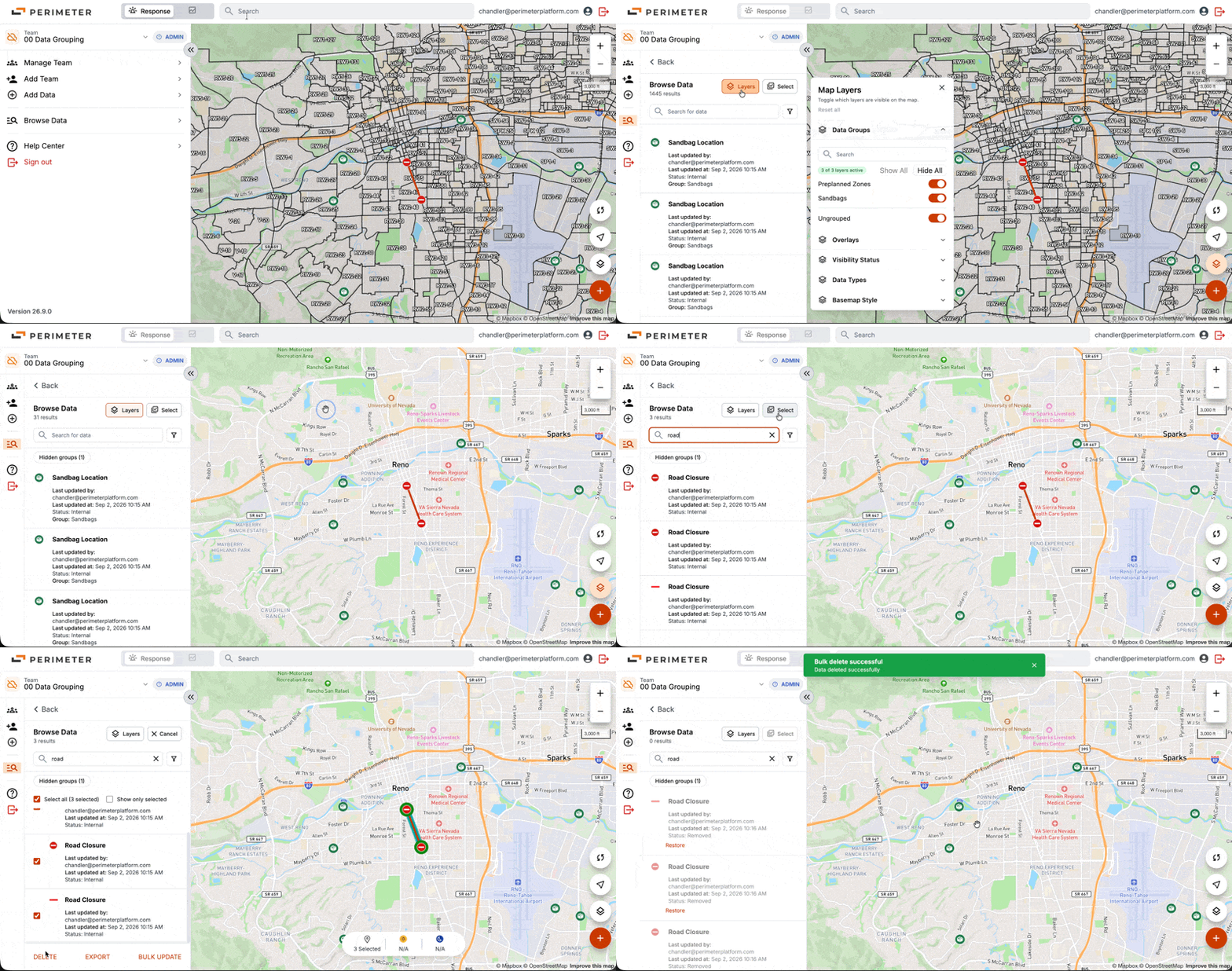
Data grouping controls will currently only be available in app.perimetermap.com , and will be included in the next release of the Mobile app.
Initially, we will limit how many layer groups can be added to each team as we monitor performance and ensure the mobile experience is not affected. Currently, only the Perimeter team will be able to import layers and create data groups. We will continue to evaluate making this feature available to Administrators.
Multi Select Data from the Map
-
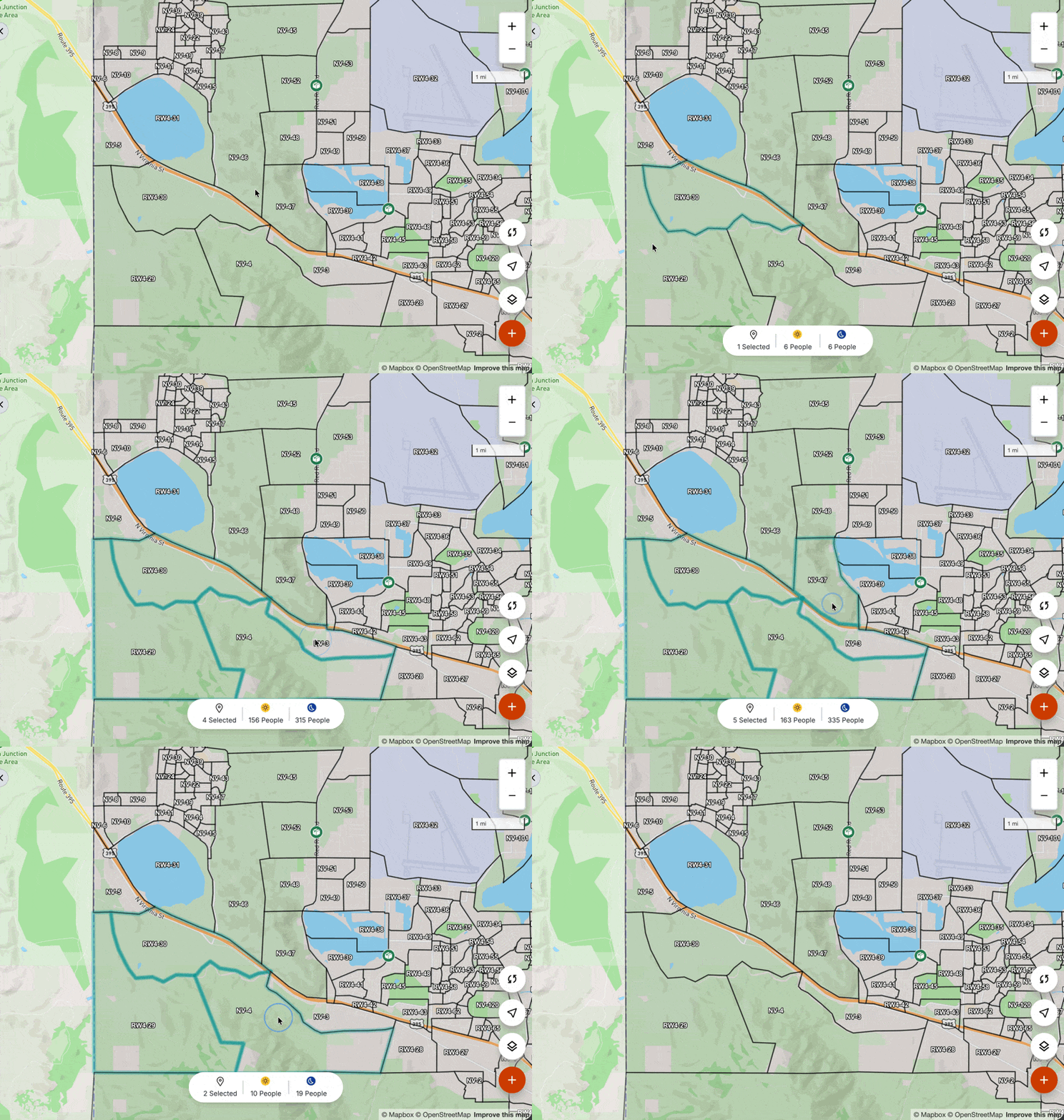
We have implemented the ability to multi select data directly from the map.
-
Windows – ^ ctrl (hold control key) + Click
-
Mac – ⌘ Cmd (hold command key) + Click
-
-
When bulk selecting polygons, the system will display nighttime & daytime population summaries of all selected polygons
Additional Enhancements
-
Coordinate Search Improvement – We have improved coordinate search functionality. Now many common coordinate types can be pasted directly into Perimeter and auto-converted into supported WGS84.
-
Polygon Naming Convention – The polygon naming convention has been updated to match the color of the polygon (red, yellow, orange, blue, purple, grey, green). This generalized naming convention reflects the expanding use cases of the system and is not public facing, there is no functionality change.
-
Zone Loading & Performance Improvements – we have optimized loading for inactive zones to improve performance and support teams containing large numbers of inactive zones. This change does not affect any functionality.
-
KML is now a supported bulk export file type.
-
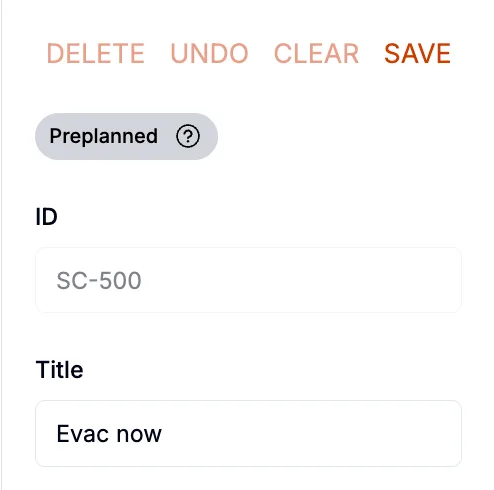
Zone ID – Perimeter now supports an additional “ID” field for pre-planned zones. Consistent with previous versions, “Title” will be visible to the public on perimetermap.com, and “ID” will be visible internally. This feature will be supported in the Mobile app following our next release.
As always, please contact Van Riviere at van@perimeterplatform.com or by phone at (209) 483-1513 if you have questions or encounter challenges of any kind.
Sincerely,
The Perimeter Team


